
Maintaining optimal temperatures within a greenhouse is one of the most critical, yet challenging, aspects of successful cultivation. Fluctuating external weather, intense solar radiation, and the metabolic heat generated by plants can quickly turn your carefully controlled environment into a sweltering furnace, leading to plant stress, reduced yields, and even crop loss. For years, growers relied on manual adjustments—opening vents, rolling up sidewalls, or cranking fans. While effective to a degree, this reactive approach is labor-intensive, often imprecise, and rarely keeps pace with rapid environmental changes. Enter the climate computer: a sophisticated brain designed to take the guesswork and manual toil out of temperature management, ushering in an era of automated, precise, and energy-efficient cooling for your greenhouse.
The Core of Automated Cooling: Understanding Your Climate Computer
At its heart, a climate computer is the central nervous system of your greenhouse, continuously monitoring environmental conditions and orchestrating various systems to maintain ideal growing parameters. For cooling management, this means intelligently deploying a combination of fans, vents, shade screens, and evaporative cooling systems with unparalleled precision.
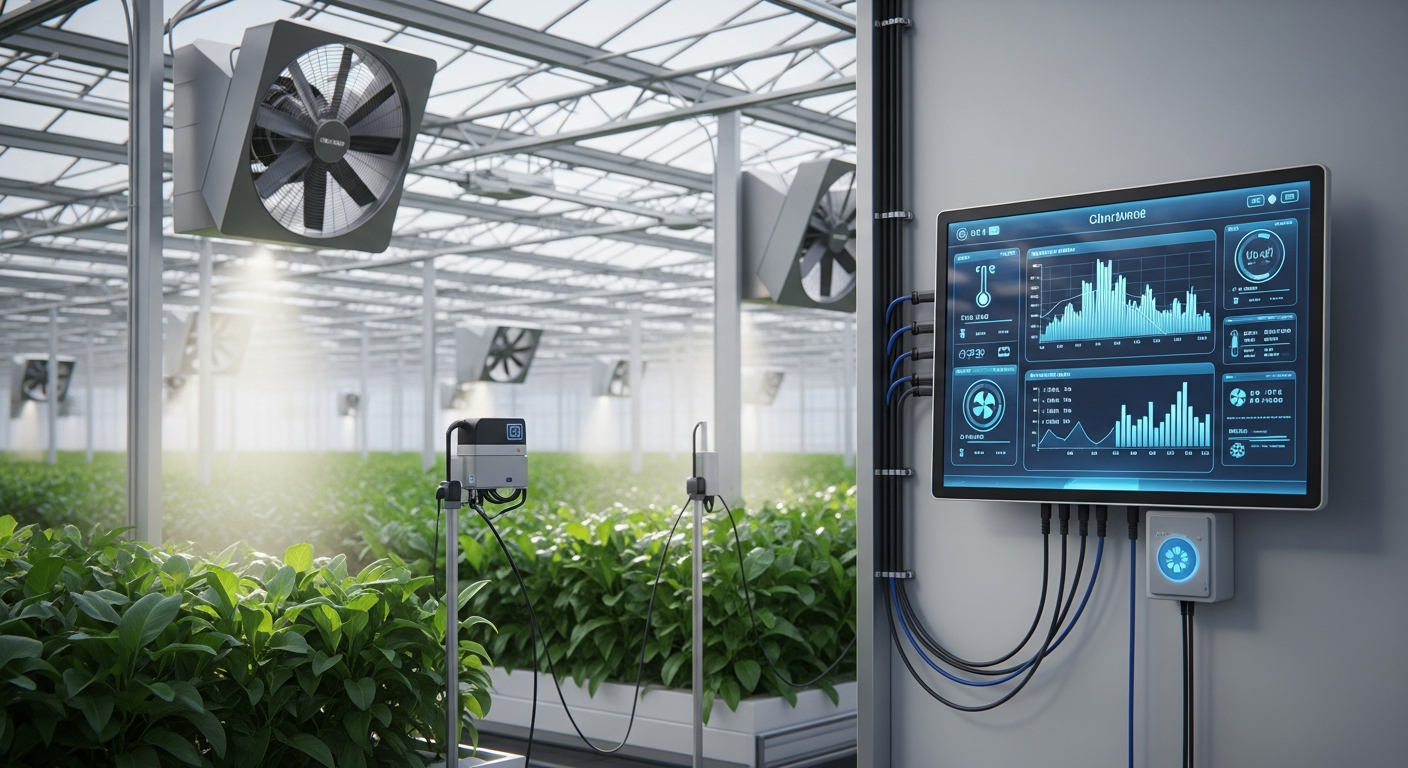
How a Climate Computer Works for Cooling:
- Sensors: The system begins with a network of strategically placed sensors that gather real-time data on critical parameters like air temperature, relative humidity, light intensity (PAR), and sometimes even CO2 levels, both inside and outside the greenhouse. These sensors are the ‘eyes and ears’ of your system.
- Programming Logic: This is where you, the grower, define the ideal environmental conditions (setpoints) for your specific crops and growth stages. The climate computer houses complex algorithms that compare current sensor readings against these setpoints.
- Actuators: When a deviation from the setpoint is detected (e.g., temperature rises above the desired maximum), the computer sends commands to various actuators. These are the physical devices that perform the cooling actions—motors for vents and shade screens, relays for fans and pumps.
- Feedback Loop: After an action is taken, the sensors immediately detect the change, and the computer continuously re-evaluates, creating a dynamic feedback loop that ensures the greenhouse environment is always striving for the programmed ideal.
The primary benefit of this automated process is not just convenience, but the ability to respond to changes proactively and with a level of precision impossible through manual control. This consistency translates directly into healthier plants, optimized resource use, and ultimately, greater profitability for your Greenhouse Climates.
Key Cooling Strategies Managed by Climate Computers
Automated cooling isn’t a one-size-fits-all solution; it’s a symphony of different strategies orchestrated by your climate computer. Understanding how the computer manages each element is crucial for effective setup.
Natural and Forced Ventilation
Ventilation is often the first line of defense against rising temperatures. Climate computers excel at managing both natural and forced airflow:
- Roof and Side Vents: The computer can be programmed to open and close roof vents (peak vents) and side vents incrementally or fully based on internal and external temperature, wind direction, and rain sensors. This allows for passive cooling by allowing hot air to escape and drawing in cooler outside air.
- Exhaust Fans: For more aggressive cooling or when natural ventilation isn’t sufficient, the computer will activate exhaust fans. These fans create negative pressure, pulling hot air out and drawing fresh air in through intake vents or louvers. Variable speed fans, controlled by the computer, can provide a nuanced response to temperature fluctuations, saving energy.
Practical Tip: Program your climate computer to prioritize natural ventilation first (opening vents) before engaging energy-intensive exhaust fans. This optimizes energy efficiency.
Shade Screens
Direct solar radiation is a major contributor to greenhouse heat gain. Climate computers can manage shade screens to mitigate this:
- Automated Deployment: Based on light intensity (PAR) and/or internal temperature setpoints, the computer can automatically deploy internal or external shade screens. This reduces the amount of solar energy entering the greenhouse, significantly lowering the cooling load.
- Dynamic Control: Advanced systems can even deploy shade screens partially or in sections, responding to transient cloud cover or varying light needs throughout the day.
Practical Tip: Consider programming a gradual deployment or retraction of shade screens to avoid sudden light changes that can shock plants.
Evaporative Cooling Systems (Pad & Fan, Fogging/Misting)
When external air temperatures are high and humidity is low, evaporative cooling is highly effective. Climate computers precisely control these systems:
- Pad & Fan Systems: The computer controls the water pump that saturates the cooling pads and the exhaust fans that pull air through them. As air passes through the wet pads, water evaporates, absorbing heat and cooling the air before it enters the greenhouse.
- Fogging/Misting Systems: For localized cooling and humidity control, computers can activate high-pressure foggers or misters. These systems release ultra-fine water droplets that rapidly evaporate, cooling the air and increasing humidity.
Practical Tip: Integrate humidity sensors into your evaporative cooling logic. The computer should ideally only activate these systems when humidity is below a certain threshold to prevent over-humidification and potential disease issues.
Horizontal Airflow (HAF) Fans
While not directly a cooling method, HAF fans are crucial for uniform temperature distribution within the greenhouse. Climate computers can manage them to prevent hot spots:
- Circulation: HAF fans are activated by the computer to continuously mix the air, preventing layers of hot air from building up near the roof and ensuring that cooler air from ventilation or evaporative systems is distributed evenly around the plant canopy.
- Preventing Stagnation: Good airflow also helps reduce humidity around plant leaves, mitigating fungal disease risks.
Practical Tip: Ensure HAF fans are positioned correctly to create a continuous, gentle air current without directly blasting plants. Their activation can often be tied to temperature setpoints as a baseline for air movement.
Setting Up Your Automated Cooling System: Practical Steps
Implementing an automated cooling system requires careful planning and precise setup to unlock its full potential.
Sensor Placement and Calibration
Accuracy begins with your sensors. Place temperature and humidity sensors at plant canopy level in multiple representative zones throughout your greenhouse. If you have different crop zones with varying climate needs, consider multiple sets of sensors. Regularly calibrate your sensors against a known reference to ensure they provide accurate readings.
Programming Setpoints and Deadbands
Defining your ideal climate is paramount. Program your climate computer with specific temperature setpoints for day and night cycles, as well as thresholds for activating different cooling components (e.g., vents open at 75°F, fans turn on at 80°F, shade screens deploy at 1000 PAR or 85°F). Implement ‘deadbands’ (a range around your setpoint where no action is taken) to prevent the system from constantly cycling on and off, which can wear out equipment and waste energy.
Integration with Other Systems
The true power of a climate computer shines when all environmental controls are integrated. Ensure your cooling strategies work in harmony with heating, irrigation, and CO2 enrichment. For example, the computer should know to retract shade screens and turn off fans before the heating system needs to engage, or cease CO2 injection when vents are open for cooling.
Monitoring and Adjustment
Once set up, don’t just “set it and forget it.” Regularly monitor your greenhouse climate data logs provided by the computer. Look for trends, identify areas where cooling might be struggling, or where energy is being overused. Adjust setpoints and control strategies as your crops grow, seasons change, or you introduce new plant varieties. Remote access capabilities often allow you to monitor and adjust your system from anywhere, offering unparalleled peace of mind.
Advanced Tips for Maximizing Cooling Efficiency and Plant Health
To truly master automated cooling, consider these advanced strategies:
Humidity Integration for Smarter Cooling
Beyond just temperature, smart growers monitor humidity. High temperatures combined with high humidity can lead to plant stress, disease, and poor transpiration. Your climate computer can use Vapor Pressure Deficit (VPD) calculations to precisely manage both temperature and humidity, optimizing plant health and growth. For instance, it can prioritize ventilation to reduce humidity even if the temperature is slightly below a cooling threshold.
Energy Efficiency Considerations
While automated cooling enhances growth, it can consume significant energy. Optimize your system by:
- Sequential Cooling: Program the computer to use the least energy-intensive cooling methods first (e.g., natural ventilation) before escalating to more power-hungry systems (e.g., exhaust fans, evaporative coolers).
- Variable Speed Drives (VSDs): Utilize VSDs on fans and pumps to allow the computer to precisely control their output, running them at lower speeds when full capacity isn’t needed, saving significant energy.
- Predictive Control: Some advanced systems can even integrate weather forecasts to anticipate upcoming heatwaves and proactively adjust cooling strategies.
Preventative Maintenance
Even the most sophisticated climate computer is only as good as the components it controls. Regular maintenance is key:
- Clean temperature and humidity sensors regularly.
- Check and clean cooling pads in evaporative systems.
- Inspect fan belts and motors.
- Lubricate vent and screen motors.
A well-maintained system ensures reliable operation and extends the lifespan of your investment.
Data Analysis and Continuous Improvement
Leverage the extensive data logging capabilities of modern climate computers. Analyze historical data to understand how your greenhouse responds to different conditions, identify periods of inefficient operation, and make informed decisions for continuous improvement. This data-driven approach is invaluable for fine-tuning your cooling strategy for various seasons and crop cycles, leading to more resilient plants and higher yields.
Conclusion
Automated cooling management using climate computers is no longer a luxury but a fundamental tool for any serious greenhouse operation, from hobbyists to large-scale commercial growers. By precisely orchestrating ventilation, shading, and evaporative cooling systems, these intelligent controllers provide a stable, optimal growing environment, protect your valuable crops from heat stress, and significantly reduce labor. Investing in a robust climate computer for your Greenhouse Climates is an investment in efficiency, sustainability, and the long-term success of your horticultural endeavors. Embrace the power of automation and watch your plants thrive.